What reached users, operators or an upstream project — the outcome, not just the code.
- Grow Journal product website and product identity; iPhone application remains in development and is not represented as released
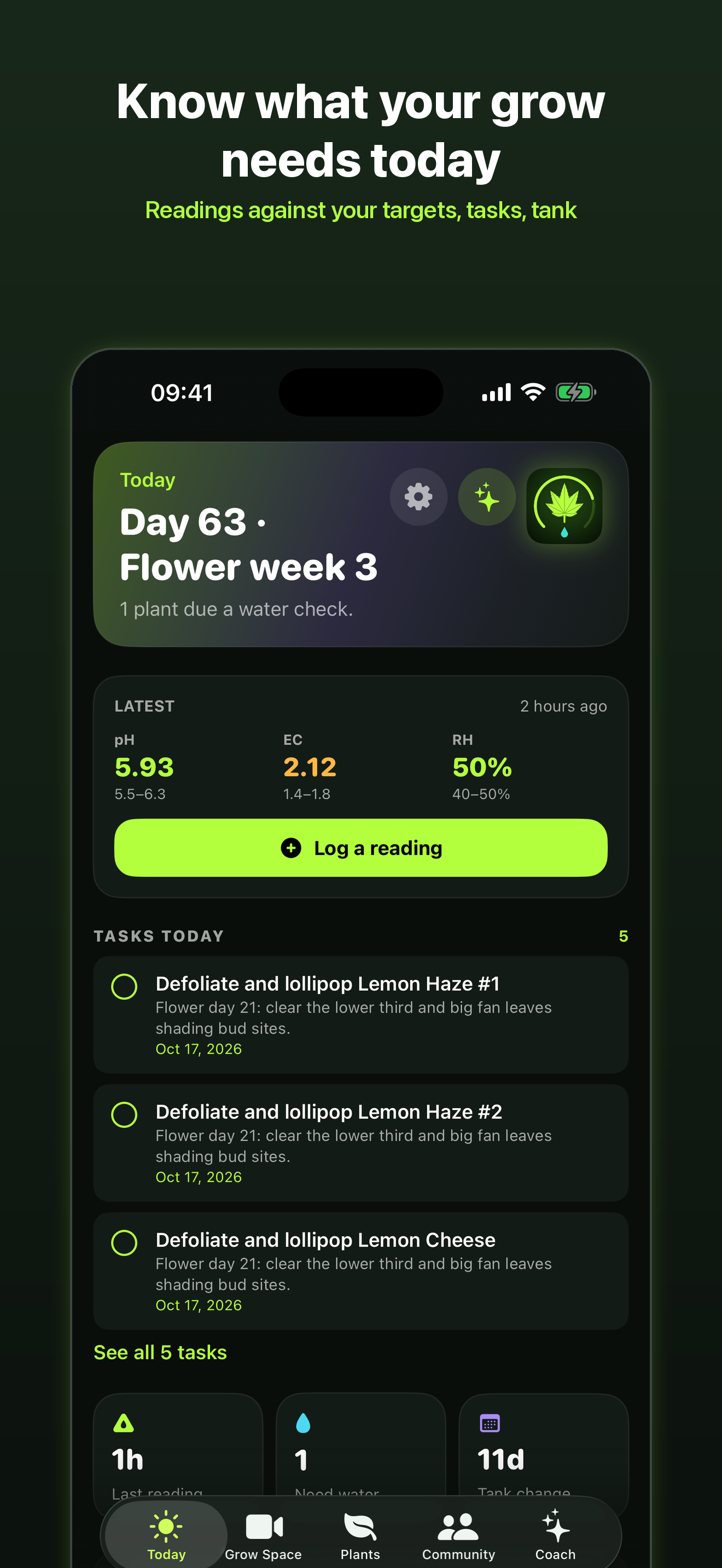
An iPhone and iPad application built around plant histories, quick logging, photos, environment records, analytics and an AI coach that can cite the underlying journal evidence.
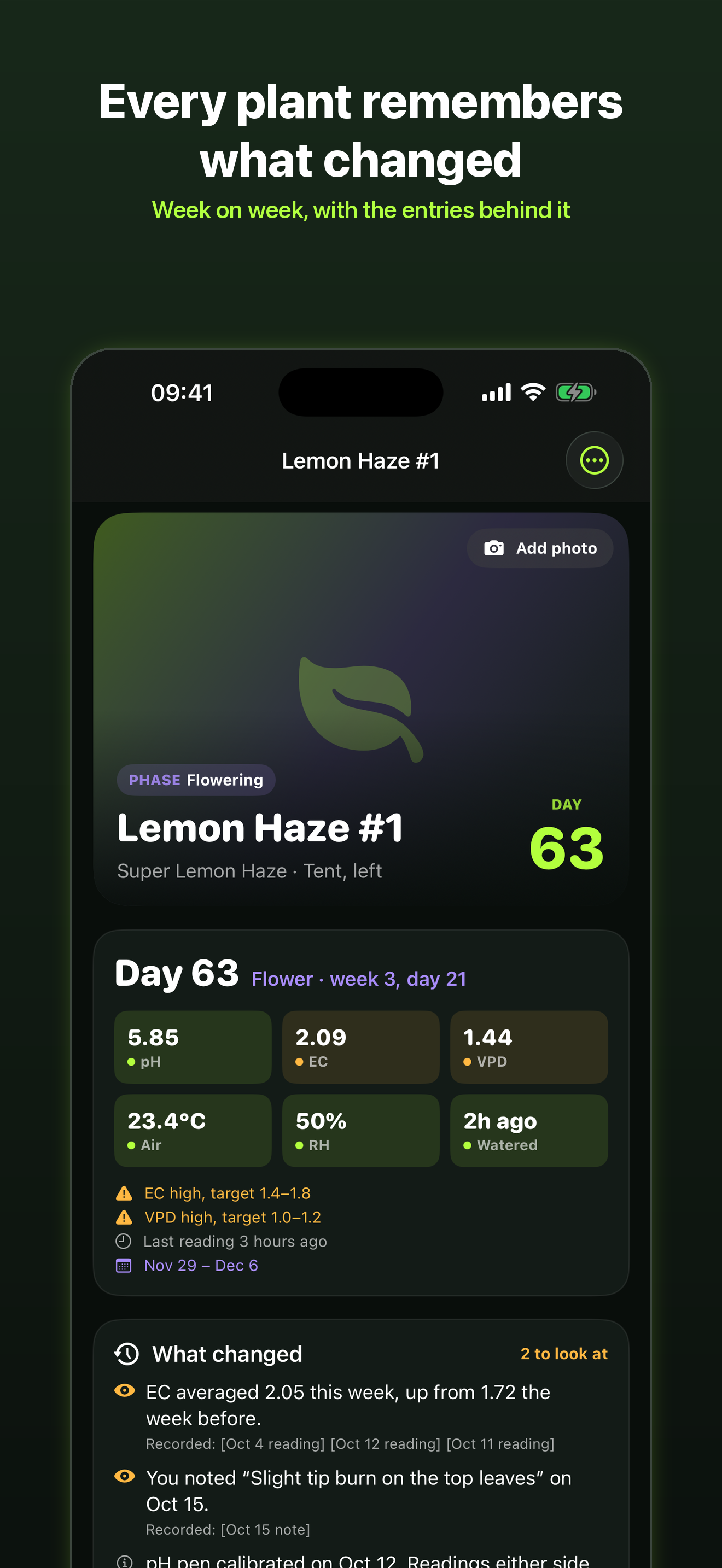
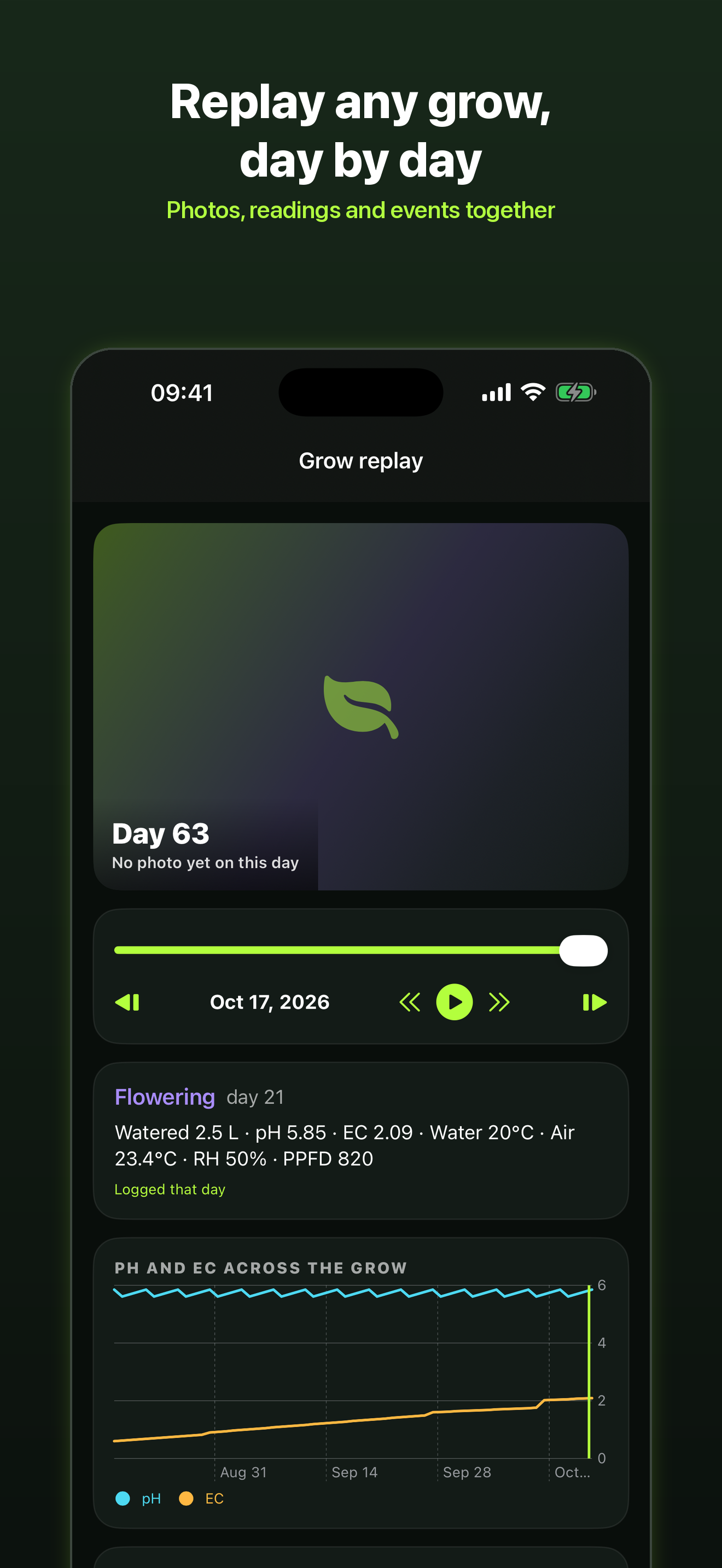
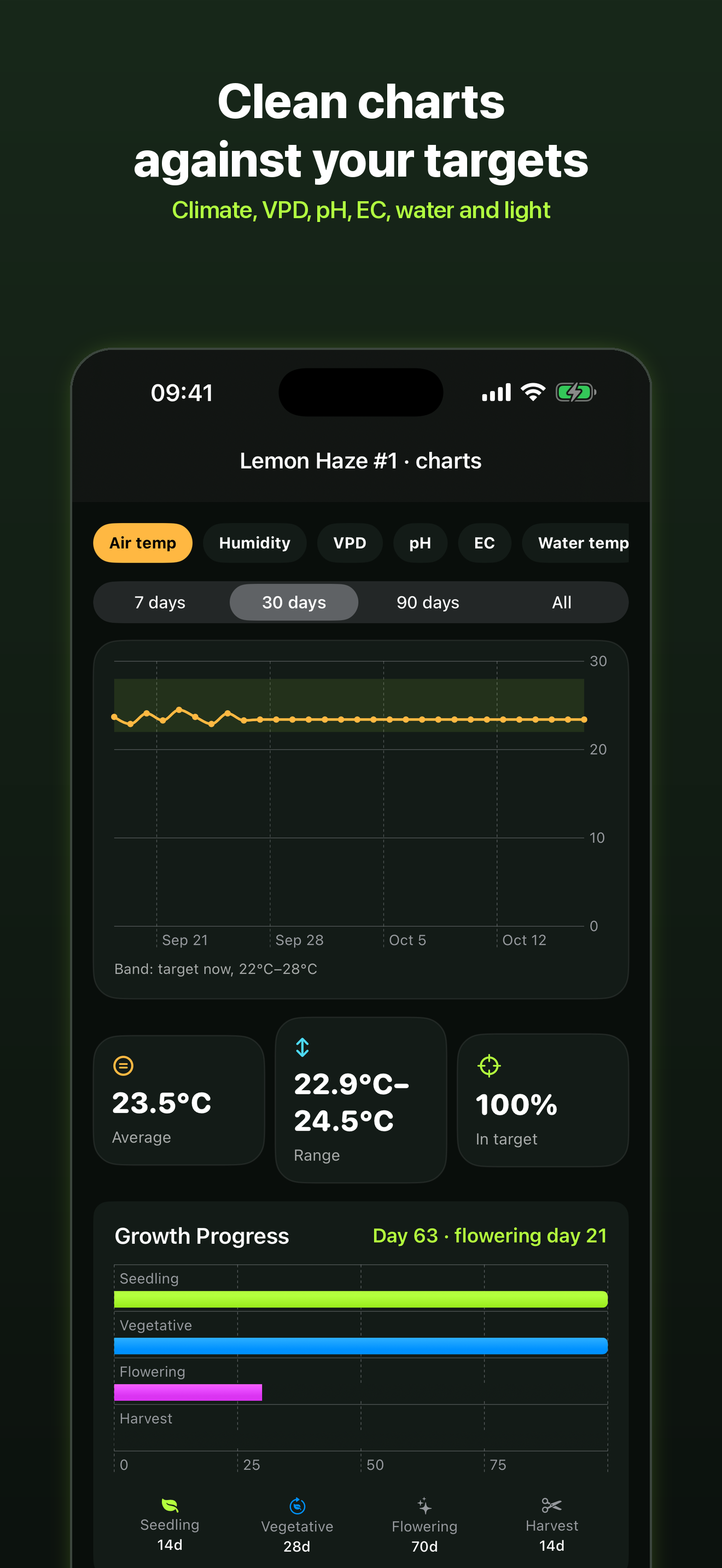
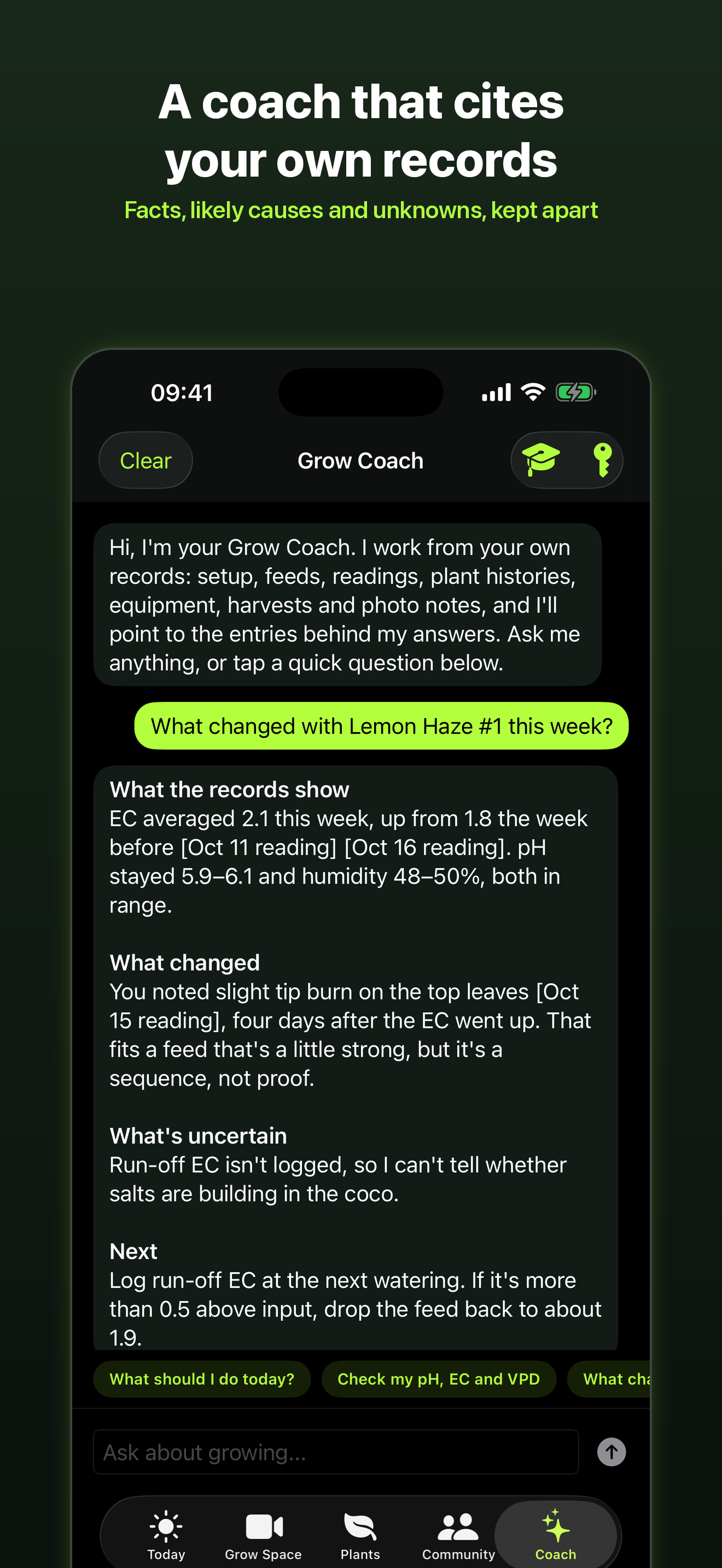
Real iPhone application captures from Grow Journal, showing the Today dashboard, plant records, grow replay timeline and analytics. These are product screens from the project, not concept mock-ups.
Delivered outcomes come first. The remaining categories show what is implemented, what has test evidence, what is deployed and what is still staged or planned.
What reached users, operators or an upstream project — the outcome, not just the code.
Capabilities evidenced in source code or project documentation.
Automated test coverage or documented test evidence; not a blanket passing-build guarantee.
Live product surfaces or historically operated deployments, with scope stated.
Known release boundaries, future work or areas not claimed as complete.
A useful journal needs to preserve the history behind each plant, not just collect disconnected notes. AI guidance becomes risky when it cannot show which records it used or when users cannot inspect and correct its prior checks.
Build a native Apple-platform experience with structured plant and journal models, local persistence, photo and environment histories, and an AI coach whose tools read from the user's records. Keep the AI's evidence, model and prompt version in an auditable history.
SwiftUI iPhone and iPad application with dedicated plant, journal, analytics and tools views
Core Data persistence and migration components, with Cloud record/sync components in the Xcode project
PlantMemory evidence layer combining dated readings, notes, stages, irrigation, treatments and photos
Read-only AI tools for searching records and plant history; AI check history preserves evidence, model and prompt version with optional answer evaluation
A separate watchOS 10+ companion target with WatchConnectivity bridge to the iPhone app
Watch companion snapshot carries today’s tasks and each plant’s day and stage; offline actions queue locally and sync when the phone is nearby
SwiftUI is used across the core app and supporting views. The project also contains a separate watchOS 10+ companion target and App Intents.
WatchConnectivity sends the day’s tasks and plant stage to the wrist. Users can complete tasks, log watering and enter pH with the Digital Crown; the watch keeps an offline copy and queues changes for the iPhone to save.
The latest project change keeps the watch target and source code in the project but removes it from the iPhone 1.0 app bundle. The companion is staged for a 1.1 release rather than being represented as shipped in 1.0.
PlantMemory assembles dated records into a citable timeline so the AI coach can explain what changed and point back to source entries.
The coach's record-search and history tools are read-only, with each tool stating its source rather than silently mutating user data.
Backup, report and export paths use SHA-256 manifests; the JSON export is documented as an open format.
The AI needs access to relevant historical records while making it possible for a grower to inspect the evidence behind an answer.
Problem checks preserve evidence, model and prompt version, and allow users to mark answers right, partly right or wrong.
Plant histories combine photos, stage changes, readings and journal notes across the full lifecycle, so the UI and data model must work over months rather than a single session.
Open-format export and checksummed backups support portability and restore verification.
Watch actions must remain useful offline without creating a second source of truth. The phone remains the persistence authority and receives queued watch actions through WatchConnectivity.
The repository is private, so public visitors may not be able to inspect its source. The Apple Watch companion is implemented in the project but deliberately not embedded in the iPhone 1.0 release; it is staged for 1.1. Screenshots should be verified against the current iPhone/iPad build before publication; this page does not substitute generated mockups for real app screens.
Tell me what you are trying to build. We can scope the right next step.